
Kügeli

Help

First steps, guides and the most common questions. Anything else by email.

Getting started

  1. Tilt. Tilt your iPhone. The beads flow to the lower side in real 3D.
  2. Shake. Shake it. The beads fly against the glass and you feel every collision.
  3. Stir. Run a finger through the beads. They part and flow back.

Guides

Choose a material

  1. Tap the button with the sliders in the top right corner.
  2. Under “Beads”, tap a material. A lock means it needs Pro.
  3. Tap the checkmark in the top right to go back to the beads.
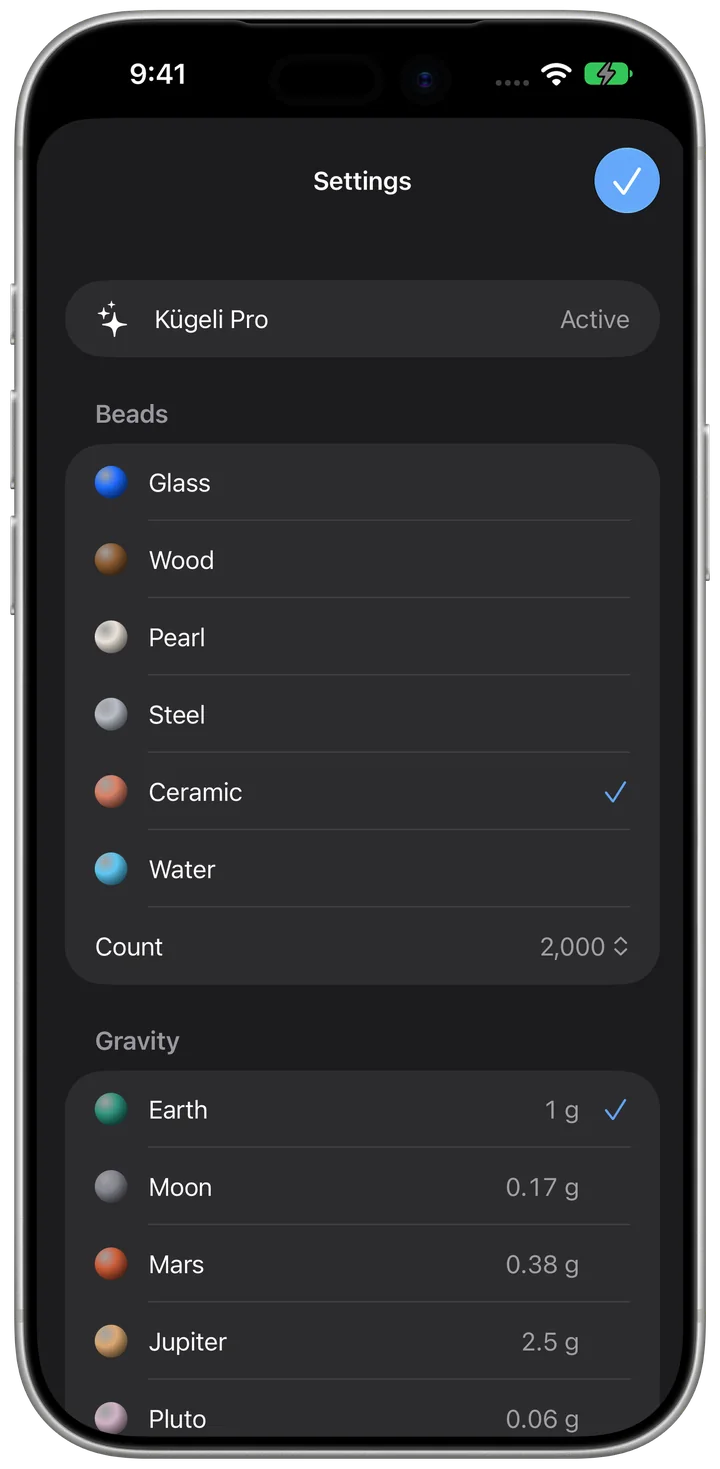
Choose a material

Change gravity

  1. In the settings, choose a place under “Gravity”.
  2. Back at the beads, the place shows briefly at the bottom.

Kügeli on Apple Watch

  1. Open Kügeli on your watch and tilt your wrist.
  2. Turn the crown: the beads swirl and the colour shifts.
  3. Tap once to switch between Earth and Moon. Double-tap your fingers to throw the beads up.

Turn on Pure Black

  1. In the settings, turn on “Pure Black (OLED)”.
  2. It only applies when your iPhone uses dark appearance.

Frequently asked questions

Do I need an account?

No. There is no sign-in. Your settings stay on your device.

Why is nothing moving?

The beads follow gravity. If your iPhone lies flat, tilt it a little or run a finger through them.

Why can't I hear anything?

Kügeli follows the silent switch. When it is on, only the haptics remain. You can turn sound and haptics off separately in the settings.

What does Pro add?

Pro unlocks water, wood, pearl, steel and ceramic, plus Mars, Jupiter, Pluto and Weightless. It is a one-time purchase with no subscription and works for your whole family with Family Sharing.

Restore purchases

Open Settings in the app, tap the purchase and choose “Restore purchases”. It needs the same Apple Account you bought it with.

Contact

A question, a bug, a wish: write to us.

kuegeli@bognar.net